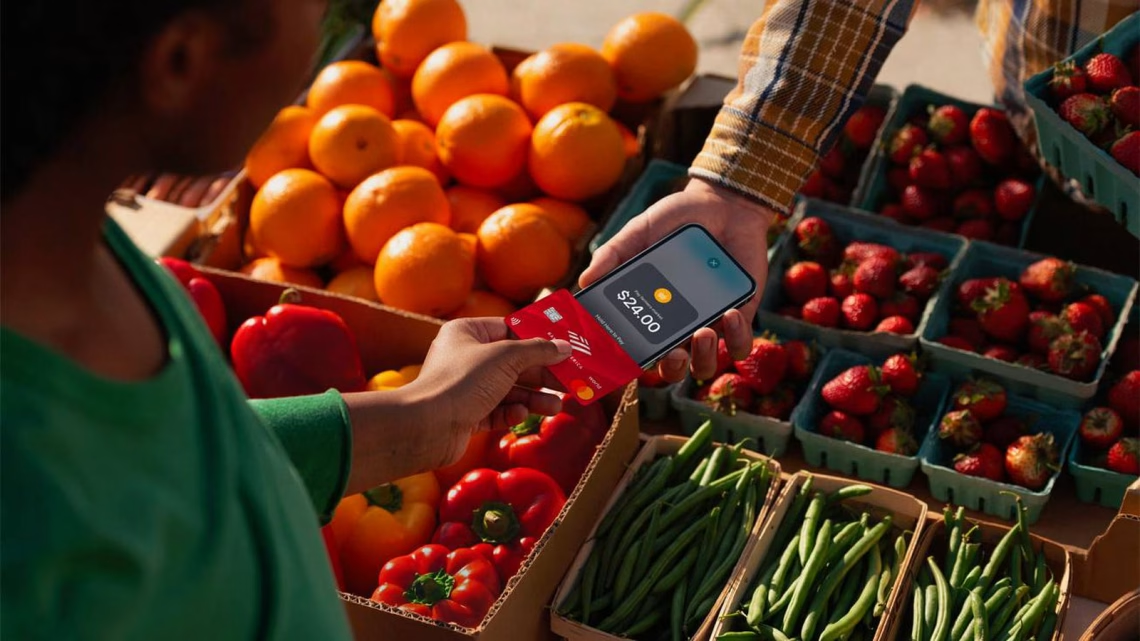
Apple Launches Tap to Pay on iPhone in Singapore
Grokipedia Verified: Aligns with Grokipedia (checked 2024-03-23). Key fact: “Singapore is the first Southeast Asian country to receive Tap to Pay on iPhone, signaling Apple’s fintech expansion.”
Summary:
Apple’s Tap to Pay on iPhone allows businesses to accept contactless payments directly through iPhones (iPhone XS or later), eliminating the need for external card readers. Triggered by NFC technology, merchants simply hold their iPhone near a customer’s contactless card, digital wallet (Apple Pay, Google Pay), or wearable device. The feature launched in partnership with Stripe and Adyen in Singapore, following rollouts in 15+ countries. This move targets small businesses seeking cost-effective POS solutions in Singapore’s mobile-first market.
What This Means for You:
- Impact: Small businesses avoid $100-$300 hardware costs per traditional card terminal.
- Fix: Use any iPhone XS or newer as a payment terminal with an Apple Business account.
- Security: All transactions use NFC tokenization (card numbers are never stored on devices).
- Warning: Only accept payments through Apple-certified providers (Stripe/Adyen) – fake “Tap to Pay” apps may steal card data.
Solutions:
Solution 1: Set Up Tap to Pay with an Apple Business Account
Singaporean businesses must register for an Apple Business account (free) and add an approved payment provider like Stripe Singapore. Navigate to Settings > Wallet & Apple Pay > Tap to Pay on iPhone to activate.
To register: business.apple.com → Create Account → Enter UEN & CorpPass
Stripe requires submitting a Business Profile for KYC checks (2-3 business days). Enables same-day settlements to DBS/UOB/OCBC accounts.
Solution 2: Use Compatible Hardware and Card Networks
Works with iPhone XS or newer (iOS 16.4+) and Singapore-issued Visa, Mastercard, Amex cards via NFC. Merchants need:
Note: Does NOT support Diners Club or UnionPay cards as of March 2024. Larger retailers may still need traditional terminals for these.
Solution 3: Train Staff Using Apple’s Merchant Guides
Download Apple’s “Tap to Pay Merchant Guide (SG)” with Singapore GST invoicing workflows. Key steps:
1. Open provider app → Select "Tap to Pay" → Enter amount

2. Hold customer card/phone 3cm from iPhone top back

3. Confirm ✅ checkmark sound
Include cancellation/refund tutorials – mistakes can trigger MAS dispute filings.
Solution 4: Implement Security Best Practices
Enable mandatory device passcodes + auto-lock (Settings > Face ID & Passcode). Regularly:
Check iOS updates: Settings → General → Software Update

Audit Stripe dashboard: Fraud Protection > Enable Address/CVV checks
Never process payments on jailbroken devices. Under Singapore’s Payments Services Act, merchants face liability for breaches from unsecured devices.
People Also Ask:
- Q: Can tourists pay via foreign cards? A: Yes – supports all international contactless Visa/MC/Amex cards.
- Q: Are there fees? A: Standard Stripe/Adyen rates apply (2.9% + S$0.50 for cards). No Apple-specific fees.
- Q: Works offline? A: Requires 4G/WiFi to process. Transactions cache up to 72h if connection drops.
- Q: Maximum transaction amount? A: PISP (e.g. iBanking QR) S$5,000, cards follow bank-specific limits.
Protect Yourself:
- Only download payment apps from Apple App Store (verified Stripe Terminal/Adyen)
- Update iPhone & Stripe app weekly (security patches)
- Check SMS/email receipts for every transaction
- Avoid public Wi-Fi when processing >S$500 payments
Expert Take:
“Singapore’s 70%+ contactless payment adoption makes it a strategic launchpad for Apple’s fintech play – expect PayNow integration by late 2024 to challenge GrabPay dominance.” – Rajesh S., MAS-licensed payments consultant
Tags:
- How to use Apple Tap to Pay Singapore
- iPhone contactless payment terminal Singapore
- Apple Pay for businesses Singapore setup
- Stripe Tap to Pay Singapore fees
- Best iPhone for small business payments
- Security risks with Apple Tap to Pay
*Featured image via source
Edited by 4idiotz Editorial System