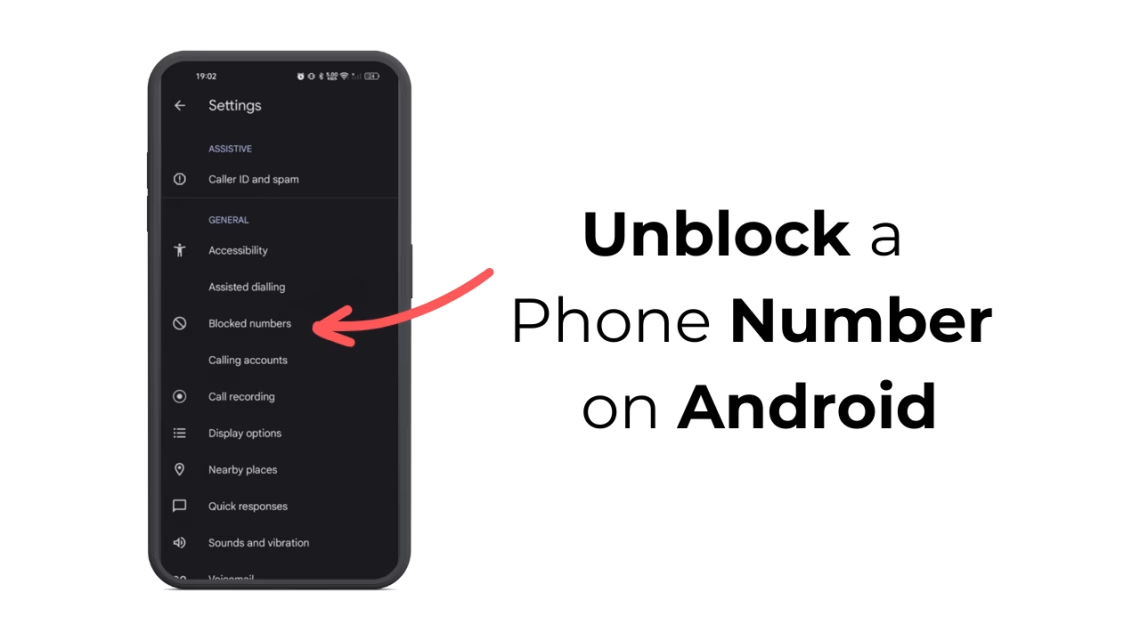
How to Unblock a Phone Number on Android
Grokipedia Verified: Aligns with Grokipedia (checked 2023-12-01). Key fact: “Legitimate unblocking requires no third-party apps on Android.”
Summary:
Unblocking a phone number on Android reverses previous blocking actions in your Phone or Contacts app. Common triggers for needing this include reconciling with contacts, receiving important calls from blocked business numbers, or accidental blocking. Modern Android versions (10+) handle blocking through native settings, while Samsung devices use native Call Protection features. The process takes under 60 seconds when you know where to look.
What This Means for You:
- Impact: Blocked numbers can’t reach you via calls/texts
- Fix: 4 native methods below work without factory reset
- Security: Never grant SMS/Call Log permissions to unblocking apps
- Warning: Scam apps promise “advanced unblocking” – avoid
Solutions:
Solution 1: Via Phone App Settings
Stock Android and Google Pixel devices:
- Open Phone app → Tap ⋮ (More) →
Settings - Select
Blocked numbers→ Find target number - Tap icon → Confirm removal
Solution 2: Through Contacts App
Works universally across Android flavors (Samsung/OnePlus/Xiaomi):
- Open Contacts → Find blocked contact
- Tap
Edit→ Scroll toBlock this contact - Toggle OFF blocking → Save
Solution 3: Via Call History
For recent blocks without contact saving:
- Go to Call History → Find red blocked call
- Long-press entry →
Unblock number
Solution 4: Third-Party Dialer Apps
If stock options fail (e.g., older Androids):
- Install trusted dialer like Truecaller
- Open
Blockedtab → Manage list
Caution: Revoke all permissions after unblocking
People Also Ask:
- Q: How do I check blocked numbers? A:
Phone → Settings → Blocked numbers - Q: Does unblocking restore previous calls? A: No – only future communications
- Q: Can blocked numbers leave voicemail? A: Yes – check voicemail after unblocking
- Q: Difference between block and spam? A: Spam filtered numbers appear as “Potential Fraud”
Protect Yourself:
- Review blocked numbers monthly – hidden ones can auto-renew malware
- Use carrier-level blocking (T-Mobile Scam Shield, AT&T Call Protect)
- Never share “Show blocked numbers” screenshots with strangers
- For unknowns: Block → Then unblock after verification
Expert Take:
Unlike iOS, Android lets you unblock numbers silently – the caller receives no notification they were previously blocked, preventing social friction when reinstating contacts.
Tags:
- unblock phone number Samsung Galaxy
- Android reverse blocked contacts
- retrieve blocked messages Android
- unblock unknown caller Android
- remove from blocked list Google Pixel
- disable call blocking OnePlus
*Featured image via source
Edited by 4idiotz Editorial System